
Diga for iPhone
The phone within your phone.
Unlock Diga with your code and you are inside a second phone: its own home screen, its own apps, its own encrypted chat and calls. Lock it and nothing is readable. Not by the operating system, not by whoever holds the device, not by us.
What is inside
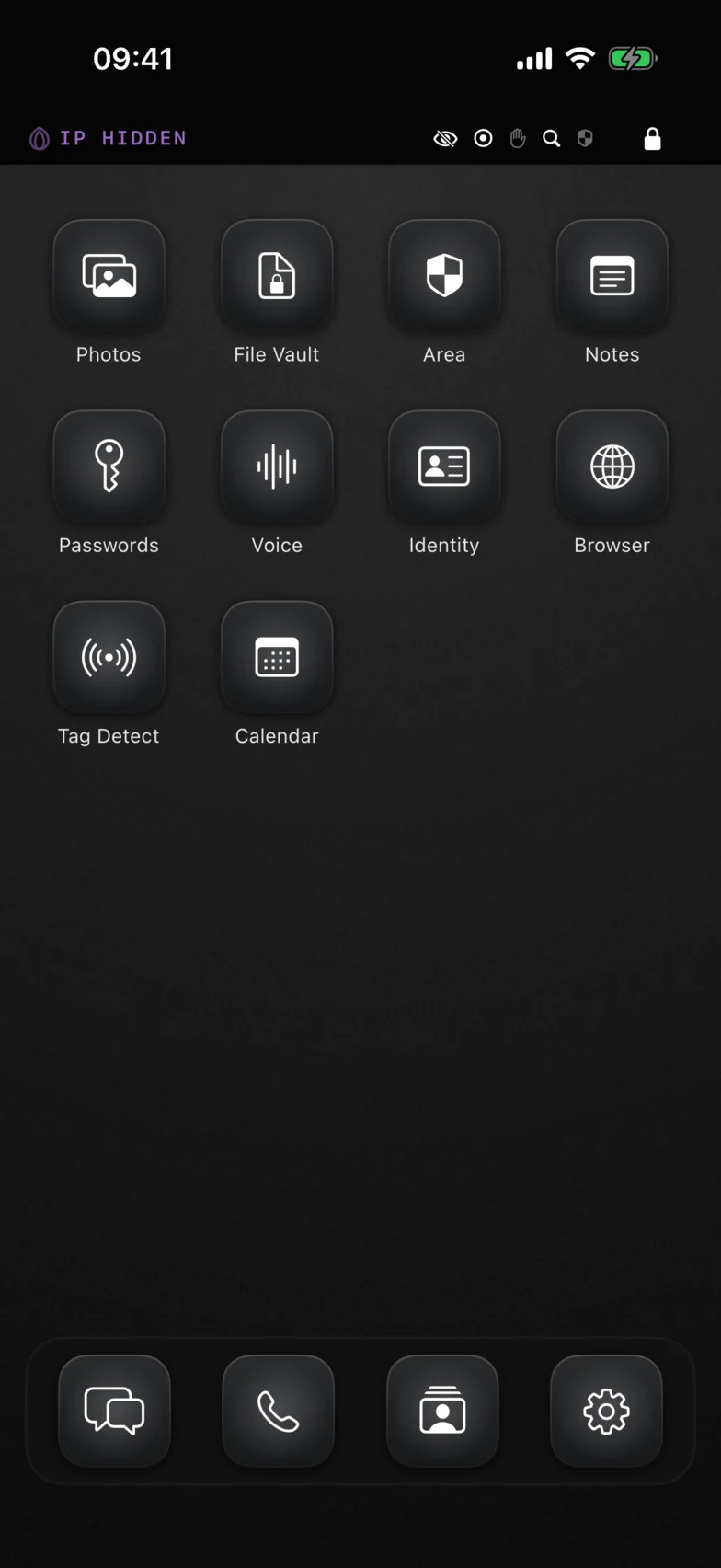
Every feature is its own app, sealed from the others.
Each app has its own encrypted store and knows nothing about its neighbours. Together they cover what a phone is for.
Chat
End-to-end encrypted messaging, 1:1 and groups. Disappearing messages, voice notes, photos, video and files.
Call
Encrypted voice and video. Media is always relayed, so the other side never learns your IP address.
Photos
An encrypted camera roll. Capture straight into the vault; imports strip location and camera metadata.
File Vault
Documents and anything else, encrypted at rest and previewed without ever leaving the vault.
Notes
A notepad that saves as you type and forgets nothing to disk unencrypted.
Passwords
Credentials with a strong generator and a clipboard that clears itself after thirty seconds.
Voice Notes
Encrypted recordings with a live waveform, kept where only you can play them.
Contacts
Your private address book and your own Diga card. Nothing syncs with the system contacts.
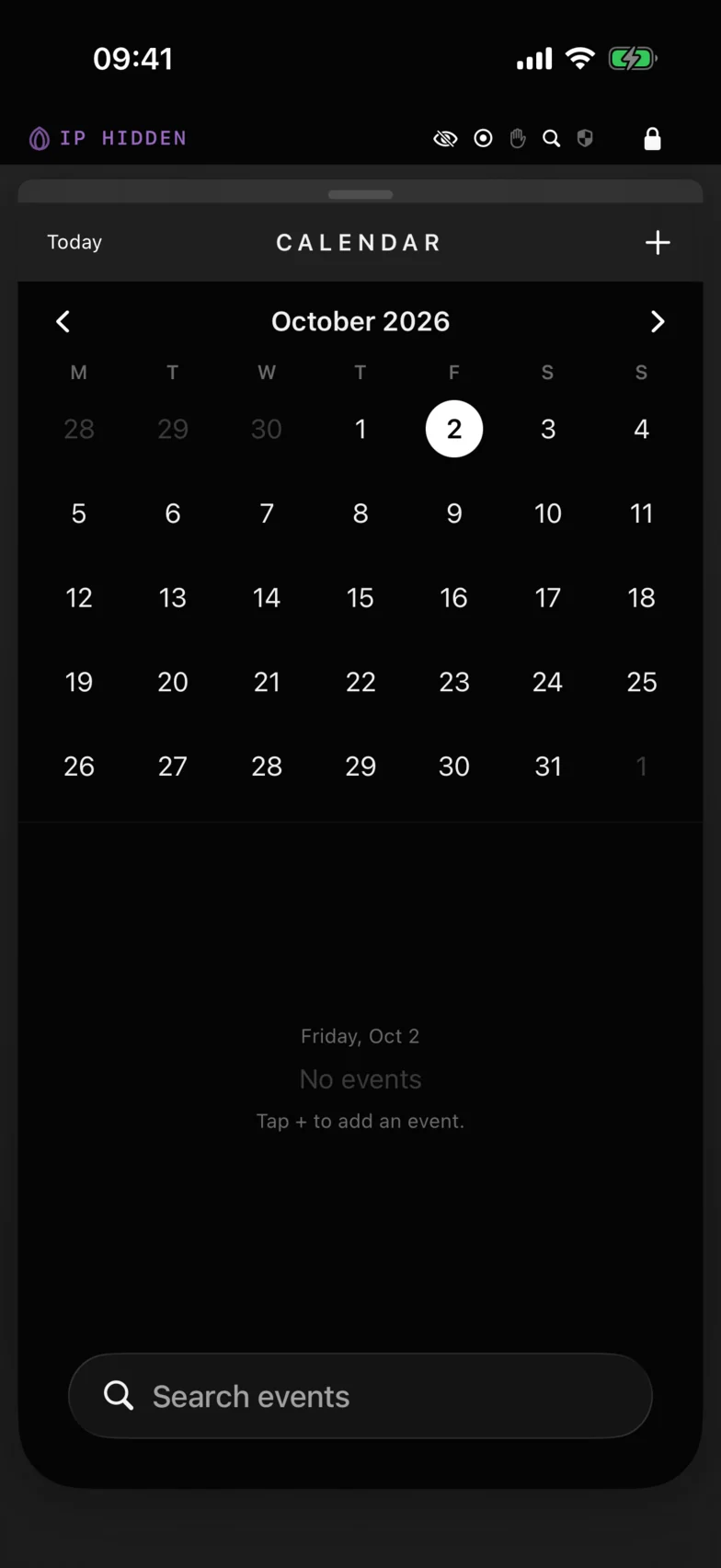
Calendar
Events that exist only inside the vault. No alerts, no system calendar, no network.
Identity Documents
Passports, licences and cards, front and back, with an expiry tracker.
Secure Browser
Rides Tor, keeps no history, cookies or cache. Closing it is the wipe. One tap for a new circuit.
Tag Detect
Finds Bluetooth trackers that travel with you across trips, without crying wolf about your own car.
How it protects you
Built for the moment your phone is taken.
Most privacy apps protect you from the network. Diga is designed for the physical threat: the phone is seized, searched, grabbed or handed over under pressure.
Seized and extracted
Files and the database are encrypted with keys derived from your code and sealed by the iPhone's Secure Enclave. A copy of the storage is unreadable without this exact device and your code.
"Show me your phone"
A second code, the panic code, wipes everything instantly and shows a fresh-install setup screen. There is no recovery path, and that is the point.
Snatched from your hand
Diga locks when the phone is yanked, when the charger is pulled, when the app leaves the foreground, and when a screen recording starts.
Watched over your shoulder
A privacy screen in the app switcher, screenshot alerts in chat, and nothing on the lock screen: no notifications, no badges, ever.
Traced on the network
Messaging rides the Tor network by default and fails closed. The relay sees ciphertext addressed to random ids, never who is talking to whom.
Taken somewhere else
Area Security locks or wipes the vault when the phone leaves the zone you defined, with no network round trip.
What Diga does not do
The features we refused to build are the protection.
Every one of these is convenient, and every one of them is a way in.
- No account, phone number or email. Your identity is a random share code and keys that exist only on your phone.
- No push notifications. Messages arrive while Diga is unlocked, so a locked phone announces nothing.
- No cloud of ours. A dead-drop relay holds encrypted messages until they are picked up, then deletes them.
- No read receipts, typing indicators or "last seen".
- No backdoor, no password reset. Forget your code and the data is gone. Reinstall for a fresh, empty vault and a new share code.
A real phone, not a feature list
Quiet, monochrome, nothing to draw a glance.
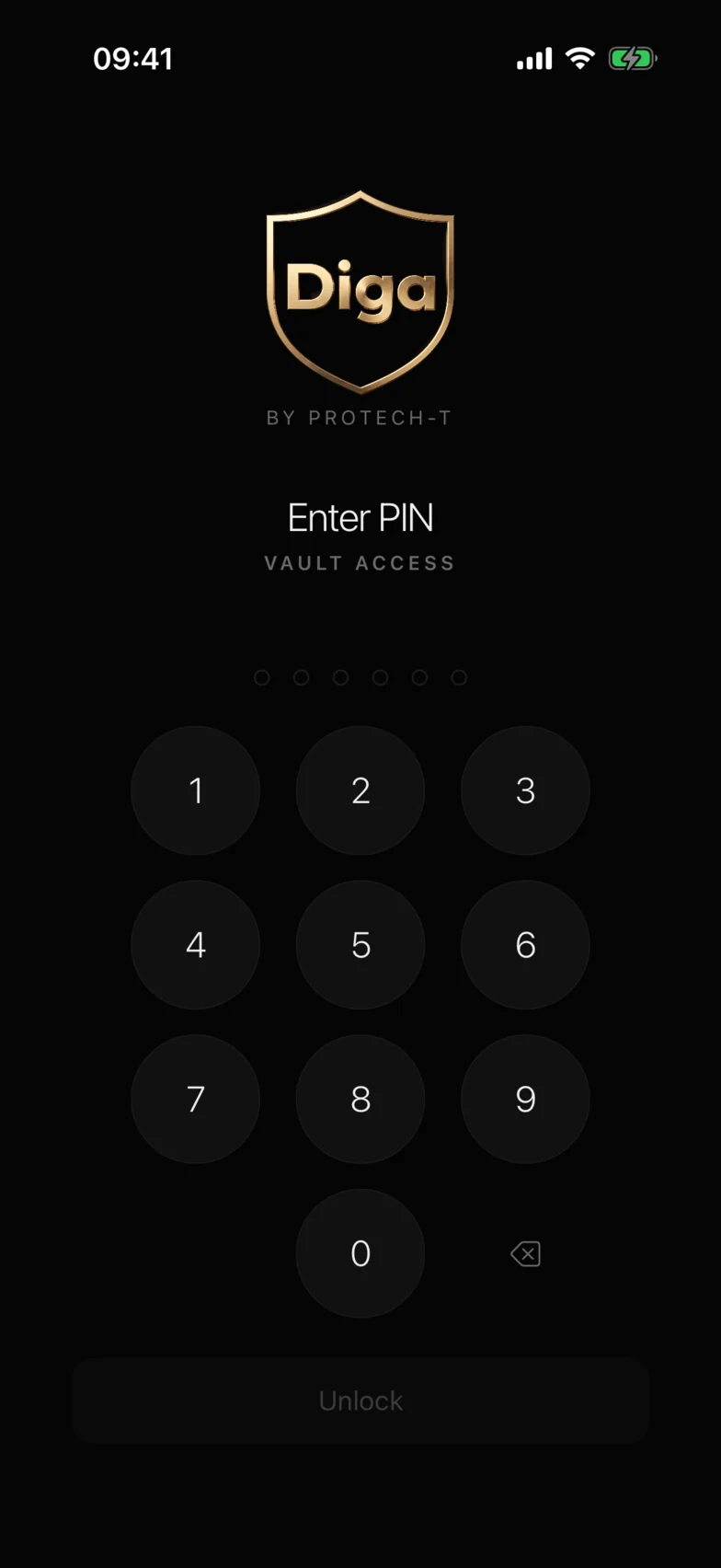
Lock screen
Calendar
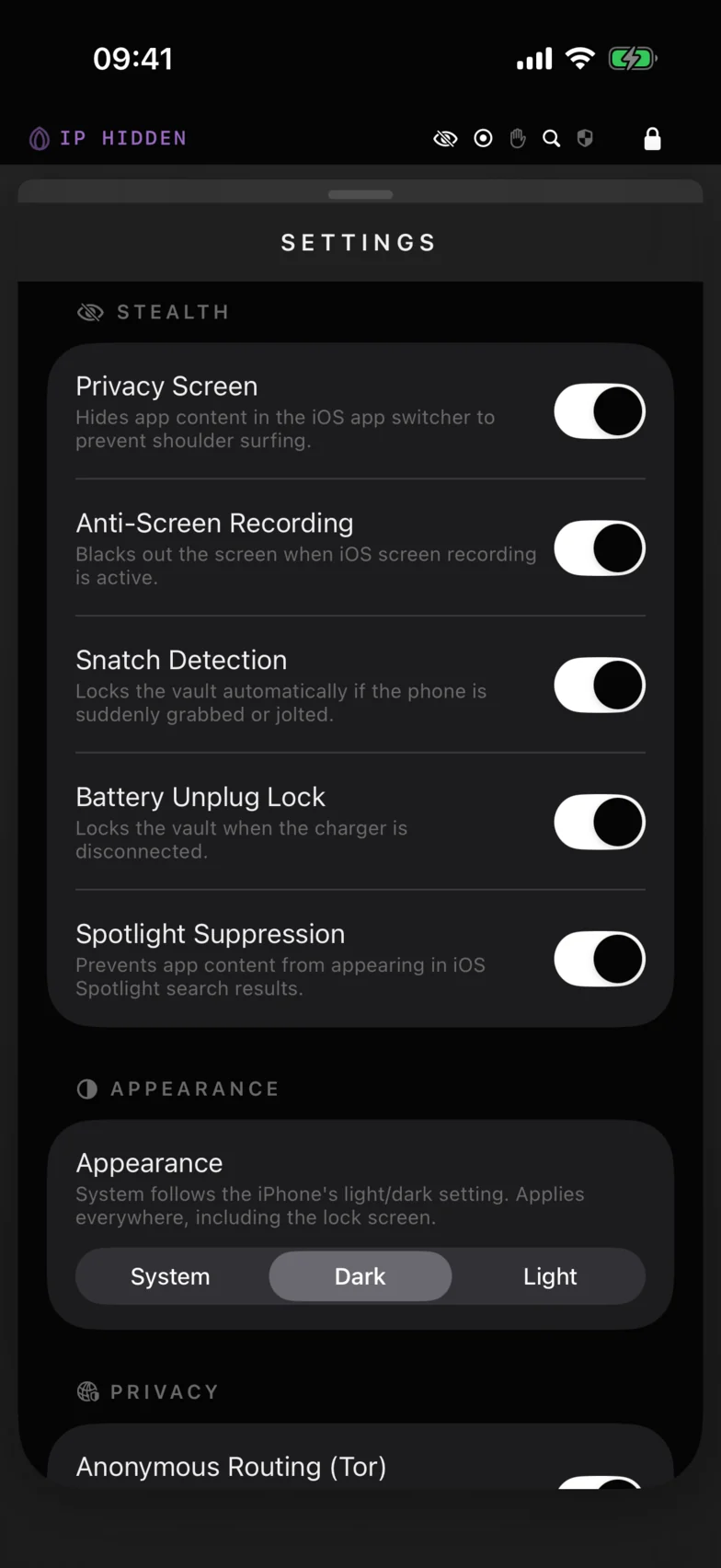
Protections
Connecting with someone
Three ways to meet, none of them an address book upload.
Two Diga users connect by share code, by scanning a QR code in person, or by a one-time invite link sent over any channel you already use.
Create an invite
From your card in Contacts. Give it a private label so you know who it was for. Cancel it any time.
Send the link anywhere
It looks like
www.protech-t.se/i#…. The part after#never leaves the phone that opens it, so even this website never sees it.They tap, you are connected
Works once, expires after seven days, and carries a fingerprint of your keys. A tampered link is refused. The safety number in each chat is how you verify who you are talking to.
Under the hood
Cryptography you can name, in a core you can audit.
The entire cryptographic stack runs in one memory-safe Rust library, frozen at version 1.0 for independent external review before launch.
- Files
- AES-256-GCM per blob, fresh nonce every write
- Database
- SQLCipher AES-256, memory security on
- Key derivation
- Argon2id 64 MiB, 3 passes, salt sealed by the Secure Enclave
- Messaging
- PQXDH + Double Ratchet X25519 and ML-KEM-768, sealed sender, length padding
- Transport
- Embedded Tor on by default, fails closed, fresh circuit on demand
- Calls
- WebRTC, relay only keys exchanged inside the ratchet, no IP exposure
- Identity
- Random share code self-certifying invites, trust on first use, safety numbers
- Core
- Rust, no unsafe code pinned API, thirteen fuzz targets, published test vectors
Questions
Straight answers.
What happens if I forget my code?
Nothing can restore it, not even us. That is the same property that stops anyone else from getting in. Deleting and reinstalling the app gives you a fresh, empty vault and a new share code; your contacts will need to add you again.
Do you have access to my data?
No. Keys are derived on your phone and never leave it. Our relay stores encrypted messages addressed to random ids until they are collected, then deletes them. We cannot read them and we cannot tell who sent them to whom.
Why are there no notifications?
A notification tells anyone holding your locked phone that Diga is installed and that someone wrote to you. It would also require a mapping from your identity to Apple's push service, which is exactly the record the design avoids. Messages are fetched while Diga is unlocked, and unread counts live on the home tiles inside.
Is the browser a VPN?
No. It routes through Tor when Anonymous Routing is on, which hides your IP address from the sites you visit, and it keeps nothing on the device. It does not try to defeat browser fingerprinting, and we say so in the app.
Is the panic code a hidden feature?
No. It is a data-erasing feature you choose to set up, described in the terms and in the App Store listing. What stays private is which of your two codes is which.
Is there an Android version?
Not yet. Diga is built on the iPhone's Secure Enclave and file protection. An Android version would need equivalent hardware guarantees before we would put the name on it.
Launching 2026
Get Diga the day it ships.
Diga is in private testing on TestFlight and launches on the App Store in 2026. Leave an email and we will tell you once.
Used for one email on launch day. Never shared.